How to Build a Simple Agentic Process
A lead magnet fills a Google Sheet. Every morning, a small worker reads the new lines and offers each person a call. Step by step, with the rules that keep it safe.
In my last post I described my AI harness and the 30 or so jobs it runs. This one zooms in on a single job, from start to finish, so you can build your own.
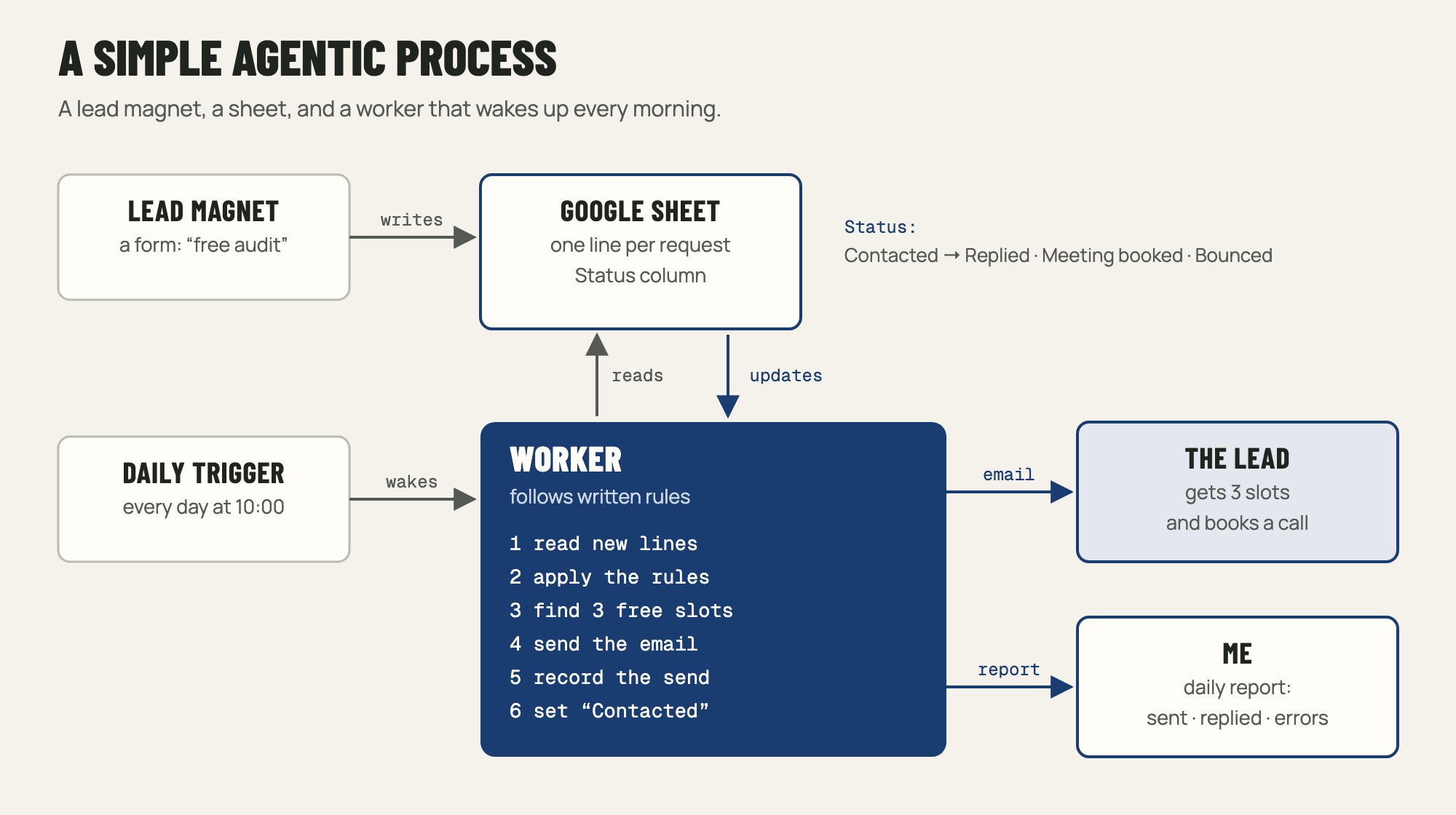
People request a free website audit through a form. Their answers land in a Google Sheet. Every morning at 10:00, a small program checks the sheet for new lines and emails each new person three call slots that fit my calendar. Then it writes "Contacted" in the line. It has run every day since the end of October.
What "agentic" means here
An agentic process runs on its own: something wakes it up, it looks at the situation, it acts, and it records what it did. That doesn't require a language model making decisions at every step. In this one, AI wrote the program, and the program itself is plain code that follows rules. It does the same thing every day, which is what you want for anything that writes to real people.
1. Write the rules first
Before any code, I wrote down what the worker may do. Mine fit in seven lines:
- Only contact people who signed up after 1 October.
- Never write to the same person twice.
- Skip lines coloured red, and people on my exclusion list.
- Offer three slots that are free in all three of my calendars.
- After sending, set the status to "Contacted".
- Never overwrite a status someone typed by hand.
- If something fails, carry on with the others and tell me in the daily report.
Each rule answers a question the code would otherwise answer for you, usually badly.
2. Use the sheet as the database
The form already writes to a Google Sheet, so I kept it. Each line has a date, a name, an email, the website to audit and a Status column. That column is the process's memory: empty means new, then "Contacted", then "Replied", "Meeting booked" or "Bounced". Anyone on the team can see where each lead stands without opening another tool.
A second tab, "Email log", lists every message sent, with its date. The worker rewrites it on every run.
3. Pick a trigger
Something has to wake the worker up at the same time every day. I use a Cloudflare Worker on a daily schedule, which costs nothing at this volume, and the Google APIs it calls are free too. A scheduled GitHub Actions workflow, a Google Apps Script time trigger, or Make and Zapier would do the same job. Use the one you already have.
4. What the worker does each morning
- Reads the sheet.
- Keeps the lines that pass the rules: recent, not contacted, not red, not excluded.
- Looks at my calendars for the coming days and picks three free slots.
- Sends each person a short email from my address.
- Records the send in its own store before touching the sheet, so a crash can't lead to a second email.
- Writes "Contacted" in the Status column.
- Checks earlier emails for replies and bounces, and updates their status.
- Sends me a short report: who was contacted, who replied, what failed.
5. Keep the message short
The email follows the same structure as all my outreach: why I'm writing, who I am, what I propose, and the slots.
Hello Claire,
I'm writing about the audit you requested for yoursite.com. I'm Nicolas, and I'd like to walk you through the results in a 15-minute call.
Would one of these slots work? Tuesday at 10:00, Wednesday at 14:30 or Thursday at 9:30. If none of them suits you, just reply with a time that does.
6. Run it dry, then switch it on
The first version ran in dry-run mode: it did everything except send, and listed the emails it would have sent. I read them, adjusted the wording, then switched sending on. The rules have tests, so when I change one, I know the others still hold.
Where AI can do more
This worker uses no model when it runs, and for now that's on purpose. Two upgrades are easy: a model could read the person's website and write one personal opening line, or sort replies into "wants a call", "not now" and "stop". Either way, the rules stay in plain code and the model only fills a gap.
The same process, much bigger: the CrowdMate magazine
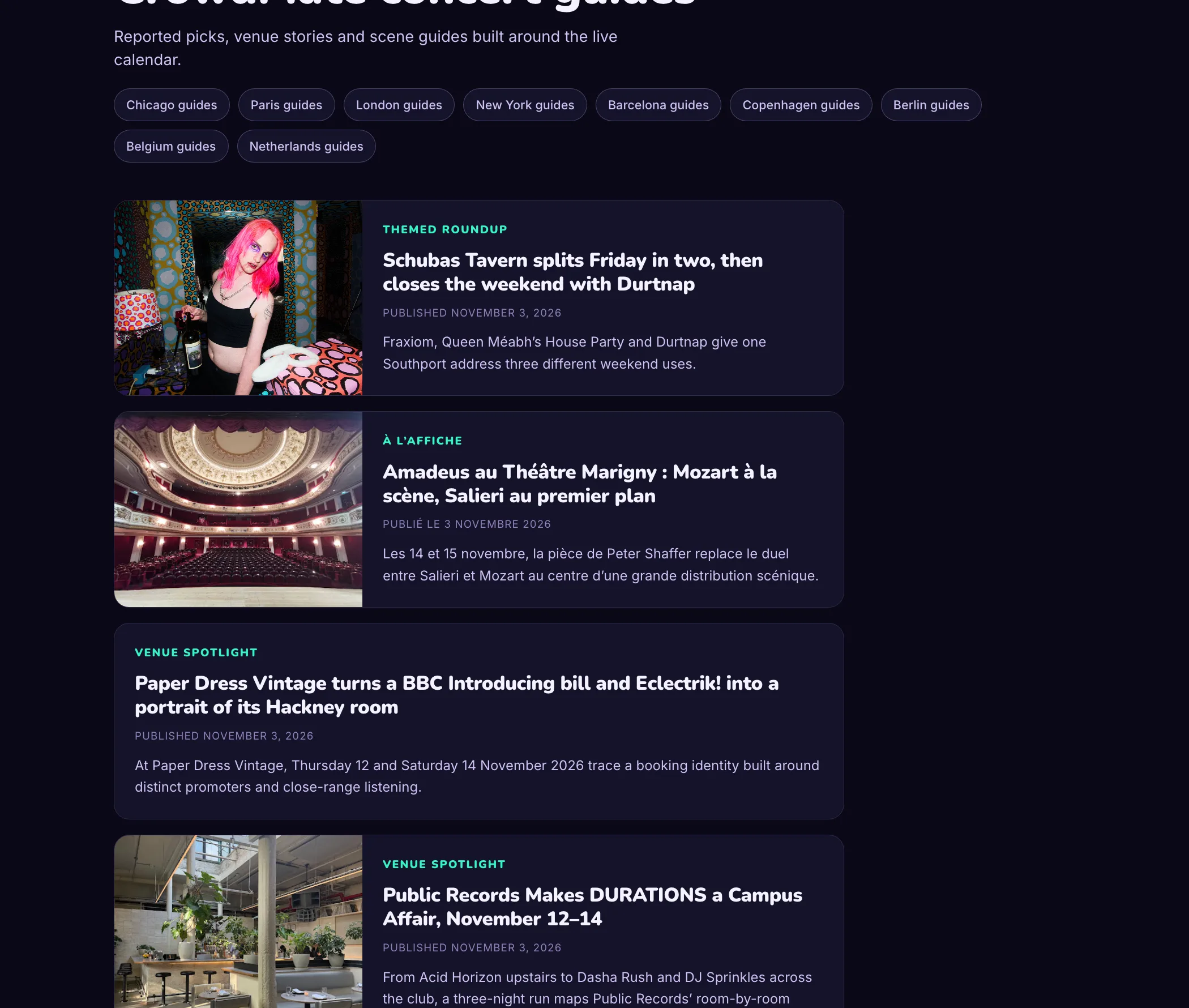
The magazine on the CrowdMate website and app runs on the same pattern, with more steps. Four days a week, a scheduled job wakes up and checks which cities are due a new guide.
- Code picks the format for each city: the one it used least in its last eight guides. Left to the model, every city drifted to the same two formats.
- A model researches a current show and writes the guide, with at least two sources and a source behind every paragraph.
- Automated checks reject weak work: wrong length, missing sources, stock phrases.
- The batch goes live on the website, and the app picks up the new guides from a feed, matched to each user's city.
- The job checks that every page is online, and reports what was published and what failed.
The ingredients are the same as for the lead worker: a trigger, written rules, a record of what was done, and a report. The difference is that a model writes the content here, so the checks carry more of the weight. It has produced several hundred guides so far.
Build your own
Pick one repetitive task with a clear trigger, then:
- Write the rules in plain sentences.
- Use a place you already have, like a sheet or an inbox, as the record, with a status column.
- Choose a scheduler.
- Run it dry until the output is right.
- Have it report to you every day.